> For the complete documentation index, see [llms.txt](https://docs.startdeliver.io/llms.txt). Markdown versions of documentation pages are available by appending `.md` to page URLs; this page is available as [Markdown](https://docs.startdeliver.io/use-cases/use-case-churn-prevention.md).
# Use case: Churn Prevention
The customers most likely to churn rarely announce it. They go quiet.
**The situation**
By the time a customer tells you they're leaving, the decision is usually already made. The conversation you're having isn't a negotiation — it's a formality. The real churn event happened weeks or months earlier, when something shifted and nobody noticed.
Maybe usage started dropping. Maybe a key champion left and the replacement never got properly onboarded. Maybe a support ticket sat unresolved long enough that the customer quietly lost confidence. Maybe your team just hadn't been in contact for two months because the account looked fine on paper.
Churn prevention isn't about rescue conversations. It's about catching the signals early enough that you still have time to do something about them.
***
**The approach**
Most CS teams think about churn reactively — they respond when a customer raises a concern, or when a renewal comes up and the conversation feels wrong. That's retention, not prevention. Prevention requires a different posture entirely.
The shift is from managing accounts to reading accounts. Every customer is constantly sending signals about how the relationship is going — through how they use your product, what they say in surveys, how quickly their support tickets get resolved, and whether your team is actually in regular contact with the people who matter. The question isn't whether the signals are there. It's whether your team has the capacity and the visibility to read them.
The second shift is from treating all at-risk accounts the same to prioritizing by impact. A 5,000 ARR customer with declining usage and a 200,000 ARR customer with declining usage are not the same problem. Your response — and how fast you move — should reflect that.
The third shift is from CSM intuition to systematic signals. Intuition matters, but it doesn't scale. When one CSM owns 80 accounts, they can't rely on gut feel to know which three need attention this week. The signal has to surface automatically.
***
**How to do it in Startdeliver**
**Let the AI identify at-risk accounts automatically**
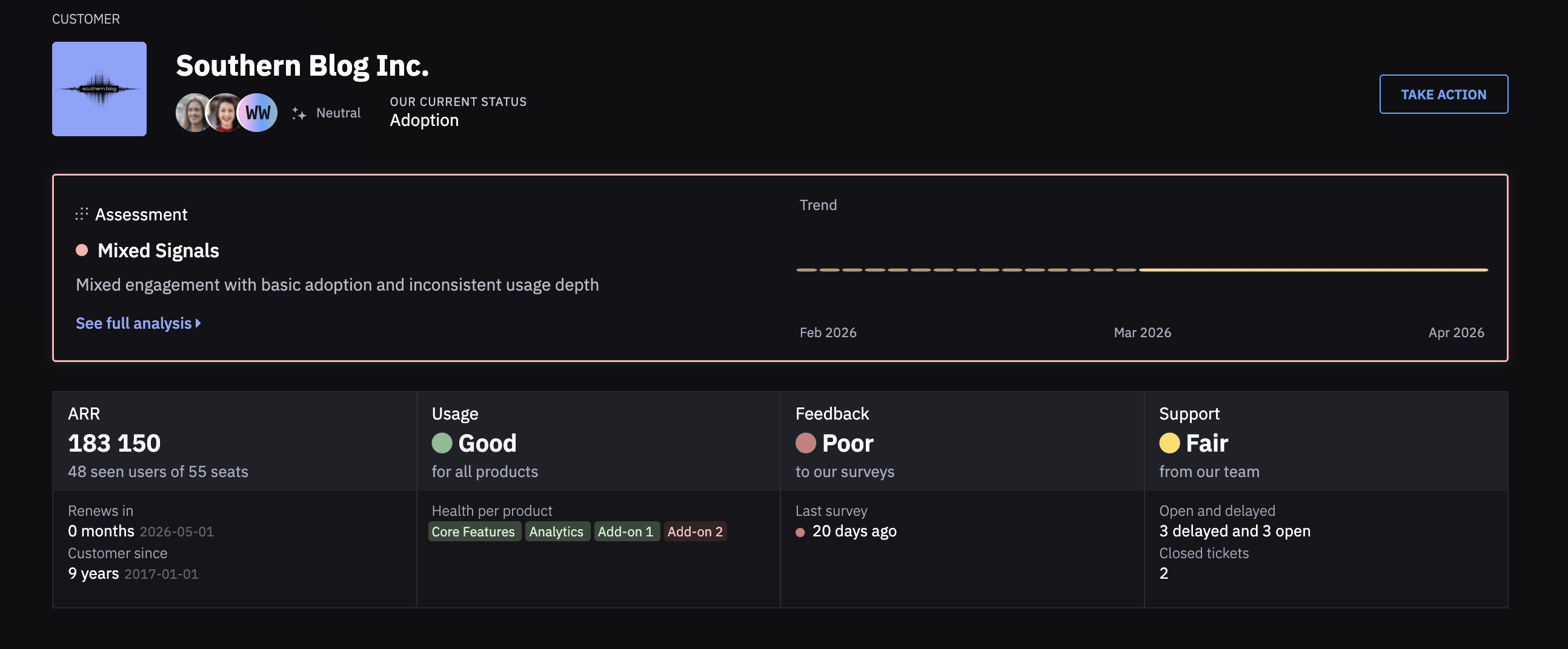
Startdeliver reads all available signals for every customer continuously — product usage, survey responses, support ticket status, how recently your team has been in contact, and whether the customer is on track toward their goals. When a pattern emerges that indicates risk — declining usage, poor feedback, an overdue support ticket, two months of silence — the AI flags it without your team having to manually review every account.
Every at-risk customer gets a plain-language assessment: what the AI found, why it matters, and what to do next.
→ [How health assessment works](/health-and-metrics/how-to-set-up-health-metrics-and-assessment.md)
**Build an At Risk list**
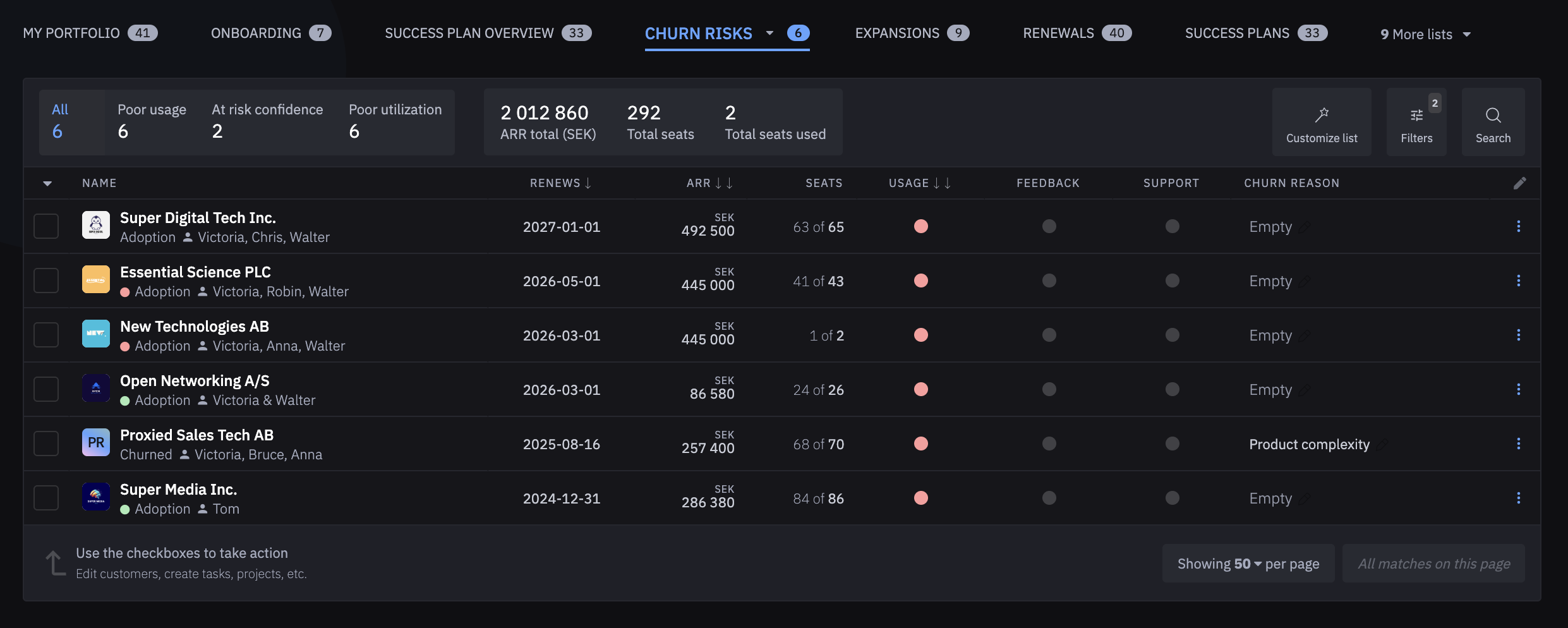
Create a saved list in the Customers view filtered to customers the AI has flagged as Needs Attention or At Risk. Sort by ARR. This is your team's churn prevention dashboard — the accounts that need human attention, ranked by what's at stake.
Review this list in your team meeting. Assign ownership. Set a follow-up date.
→ [Lists & filters](/platform-settings/lists-and-filters.md)
**Act on the recommended action**
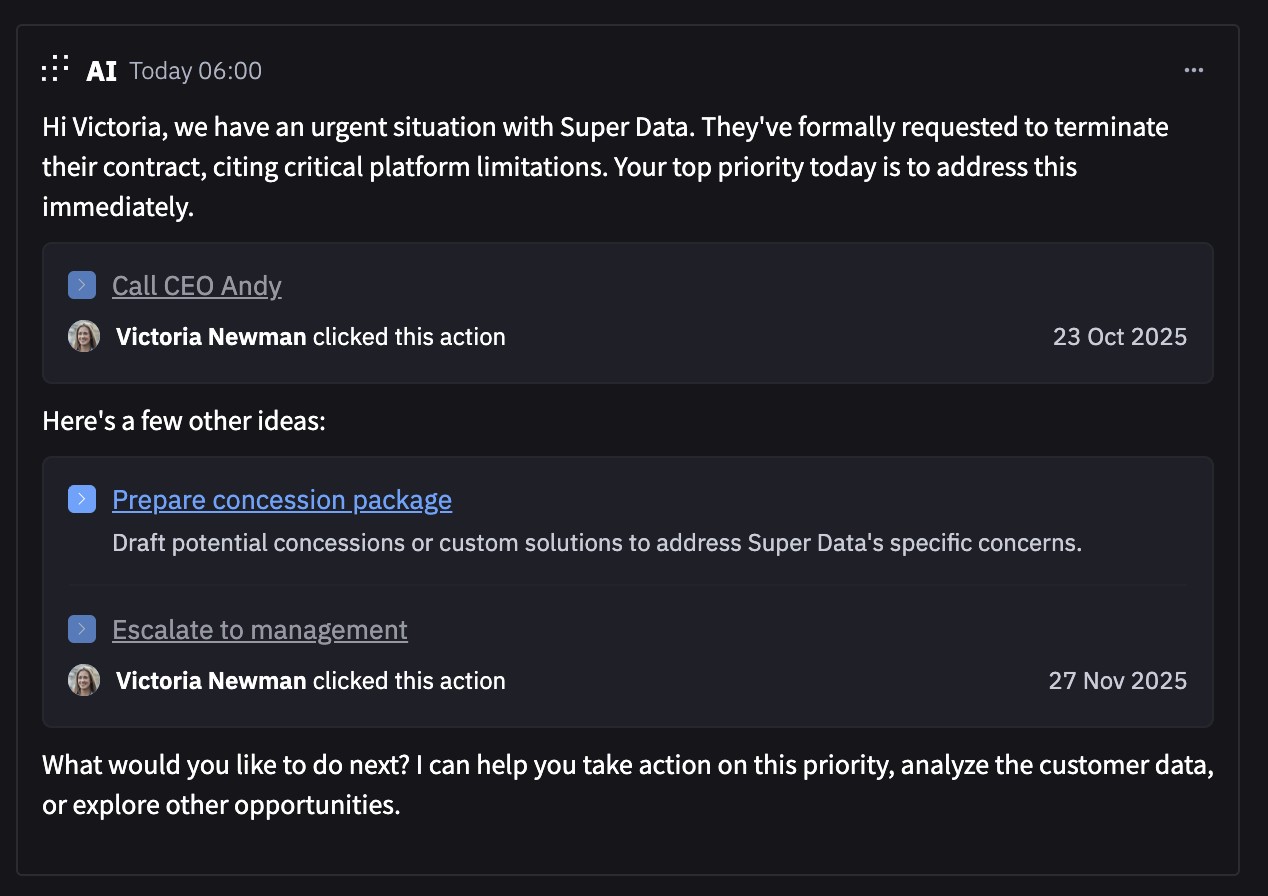
The AI doesn't just flag the problem — it tells you what to do. For at-risk accounts the recommended action is typically a direct outreach, a call, or a specific task to resolve the underlying issue. Use the Take Action button on the customer profile to log what you're doing and track it to completion.
For accounts where the risk is low engagement or communication silence, send a message. For accounts where the risk is a specific support issue, resolve it and follow up personally. For accounts where the risk is goal misalignment, schedule a Business Review.
**Set up automated early warning**
Configure automations that trigger when risk signals appear — for example, when a customer's usage health drops to Poor for two consecutive weeks, automatically create a task for the assigned CSM and notify them via email. This means at-risk signals never sit unactioned because a CSM was busy or the account wasn't top of mind.
→ [Automations](/managing-customers/automations.md)
**Let Jecta handle the early touchpoints**
For large portfolios, Jecta can reach out to at-risk customers proactively — before the CSM even sees the flag. A timely, personalized message sent at the right moment can re-engage a drifting customer before the relationship deteriorates further.
→ [Jecta: AI Agent](/jecta-agent-and-ai/jecta-ai-agent.md)
**Track goals to catch misalignment early**
A customer who is using your product but not achieving their business goals is a churn risk even if usage looks healthy. If you've set Customer Goals for the account, the AI reads goal progress as part of the assessment. A customer falling behind on their stated outcome — growing sales, reducing cost, saving time — is a risk that usage data alone won't surface.
→ [Customer Goals & Success Plans](/managing-customers/customer-goals-and-success-plans.md)
***
**What good looks like**
* Your team starts the week knowing exactly which accounts are at risk and why — without manually reviewing every customer
* At-risk accounts are sorted by ARR so the highest-value risks get attention first
* No customer goes more than a defined number of days without contact before a task is automatically created
* CSMs are having proactive conversations — not reactive ones — because they heard from Jecta or the AI before the customer got close to a decision
* Churn happens, but it's rarely a surprise. When it does happen, you know why — and you can see whether the signal was there earlier and what would have changed the outcome